
Did you know over 70% of old surveillance systems can’t stop problems before they start? This fact makes the security guard industry rethink how to protect places.
We think modern places need more than just people watching to stay safe. TensorVok uses private deployment AI video analytics to help teams go from just watching to finding threats early.
Our tools let companies keep their data safe while spotting dangers right away. Looking ahead, knowing security technology 2026 well is key to protecting your stuff and people.
Key Takeaways of Private Deployment AI Video Analytics
- Old ways of watching often can’t stop threats before they happen.
- TensorVok changes the game from just watching to smart, active defense.
- Keeping data safe is a big deal for today’s businesses.
- New tools help teams react quicker to safety risks.
- Getting with the times is important to beat new security challenges.
Understanding the Shift Toward Private Deployment AI Video Analytics
Businesses are moving from public clouds to secure, on-premise solutions. This change is due to the growing complexity of industrial environments. Now, they need private deployment AI video analytics more than ever. They want total control over their data to ensure efficiency and security.
Why Cloud-Based Systems Are Falling Behind in 2026
Cloud-only systems struggle with the fast needs of today’s industrial sites. They often have high latency and bandwidth issues. This makes intelligent video analytics slow, leading to delayed alerts when seconds count.
The security guard industry also faces issues with false alarms from unreliable cloud processing. These systems can’t tell real threats from normal movement. This causes a lot of fatigue for monitoring teams.
The Core Benefits of On-Premise AI Processing
Switching to local infrastructure lets companies process data at the edge. This ensures AI video analytics works fast, with near-zero latency. Cloud systems can’t match this speed.
- Enhanced Reliability: Local systems work even when the internet is down.
- Reduced Costs: No more big cloud storage fees means lower costs over time.
- Precision: On-premise models are made for your facility’s unique layout.
Data Sovereignty and Regulatory Compliance Requirements
Keeping data on-premise is now a must for data sovereignty laws. Using private deployment AI video analytics means your visual data stays in-house.
This control is key for industries with strict privacy rules. Keeping data local reduces unauthorized access risks. It also makes audits easier for your intelligent video analytics setup.
| Feature | Cloud-Based AI | Private Deployment AI Video Analytics |
|---|---|---|
| Data Storage | External Server | Local On-Premise |
| Latency | High/Variable | Ultra-Low |
| Security | Shared Responsibility | Total Internal Control |
| Internet Dependency | Required | Not Required |
Assessing Your Facility Security Needs and Infrastructure
Starting a new security plan means looking closely at your current setup. We need to make sure every part of your place is ready for intelligent video analytics. By checking ahead of time, we can fix problems before they cause trouble.
Conducting a Comprehensive Site Vulnerability Audit
First, we do a detailed check of your physical and digital borders. We find spots where old sensors don’t work well. This check also shows where drone security can help a lot.
We focus on busy areas and places with important stuff. By marking these spots, we make a plan for better security. This is key for using the latest security technology 2026.
Evaluating Existing Camera Hardware Compatibility
Not all old cameras can handle new AI tech. We check if your cameras can keep up with the needed speed and quality. Most systems need special protocols like ONVIF to work with our tech.
If your cameras aren’t up to par, we suggest upgrading them. This way, you save money and get the most out of what you already have. Compatibility is the bridge to better safety.
Determining Bandwidth and Local Server Requirements
Using AI on your own network means your internet doesn’t get as busy. We figure out how much internet you need for clear video. This local work is key for security technology 2026, keeping data safe from the internet.
We also check if your servers can handle lots of AI work at once. Whether it’s drone security or regular cameras, your setup needs to grow with you. Here’s a table showing the main differences between old and new systems.
| Feature | Standard Legacy System | AI-Ready Infrastructure |
|---|---|---|
| Data Processing | Cloud-dependent | Local Edge Computing |
| Latency | High (Network dependent) | Ultra-low (Real-time) |
| Analytics Capability | Basic Motion Detection | Advanced intelligent video analytics |
| Privacy | External Storage | Air-gapped Local Storage |
Selecting the Right Hardware for Private AI Processing
We think high-performance hardware is key for secure AI. Moving data processing to local systems gives you full control. This way, your AI-powered video analytics stay safe and fast.
Choosing High-Performance GPU Servers for Edge Computing
For quick insights, your system needs to process video fast. Edge AI lets cameras work on their own, without sending data to the cloud. Get enterprise-grade GPU servers for fast and efficient work.
“The future of industrial security lies in the ability to process intelligence locally, ensuring that data privacy is never compromised for the sake of performance.”
Integrating Specialized AI Processing Units
Adding special AI units like NPUs or TPUs boosts your system’s power. These units handle neural network tasks well. This frees up your main server for other important tasks.
| Hardware Type | Primary Function | Best Use Case |
|---|---|---|
| GPU Server | Parallel Processing | Large-scale video streams |
| NPU/TPU | Model Inference | Real-time object detection |
| Edge Gateway | Data Aggregation | Multi-camera synchronization |
Ensuring Scalability for Future Camera Expansion
A good setup should grow with you. Choose modular hardware for Private Deployment AI Video Analytics on more cameras. This way, you won’t need to replace everything when you add more.
Focus on edge AI flexibility for future models. With the right start, your AI video analytics will keep protecting for years.
Step One: Configuring the Local Network Environment
A strong network is key to protecting your AI. Before adding sensors or cameras, you need a safe digital space. This space keeps your data safe from unwanted access.
We build a tough network that supports fast processing and keeps things isolated.
Establishing Air-Gapped Network Segments
Isolating your security traffic from the main network is smart. This makes your edge AI hardware safe on its own path. It stops attackers from moving laterally to your business systems.
This setup is critical for places with sensitive operations. Keeping your security data off the public internet reduces risks. It means your monitoring stays private.
Implementing Robust Firewall and VPN Protocols
Even in a private segment, you need to control traffic tightly. We suggest using top-notch firewalls to check every packet. These devices block bad traffic before it hits your units.
For remote access or connecting sites, use encrypted VPN tunnels. These keep data safe as it moves between servers and monitoring stations. Key security steps include:
- Deep Packet Inspection (DPI) to spot and block bad traffic.
- Multi-Factor Authentication (MFA) for all admin access.
- End-to-end encryption for all video and logs.
Optimizing Local Latency for Real-Time Alerts
Speed is critical for security. When you add drone security or sensors, your network must handle data fast. We make sure your units can act quickly.
This fast network is key for your security guard management software. Alerts must reach your team fast. By processing at the edge, we avoid cloud delays. This means your team gets help when they need it most.
Step Two: Deploying AI Models for Threat Detection
We’ve set up a secure base. Now, we focus on using AI models for security. This step turns data into useful info, helping your place stay safe in real-time.
Training Models for Perimeter Intrusion Detection
Perimeter security is more than just motion sensors. We use intelligent video analytics to spot real threats, not just leaves moving.
Our models learn your site’s layout. They know who’s allowed and who’s not. This precision-first approach cuts down on false alarms while keeping your property safe.
Implementing Facial Recognition and Access Control
Access control has moved beyond keys and logs. With AI-powered video analytics, we check identities as people enter restricted areas.
This tech makes entry smooth for employees. It flags unauthorized visitors right away. Security teams get alerts fast, ready to act before a breach.
Setting Up Automated Anomaly Detection Algorithms
Our systems find unusual patterns humans might miss. These models are a comprehensive safety net, always watching for odd behavior.
When they spot a threat, they send alerts or call in security robots to check it out. This team-up keeps your place safe all day, every day.
| Detection Method | Primary Benefit | Deployment Focus |
|---|---|---|
| Perimeter Intrusion | Reduced False Alarms | Exterior Boundaries |
| Facial Recognition | Identity Verification | Access Points |
| Anomaly Detection | Proactive Threat Response | General Facility Areas |
Using intelligent Private Deployment AI Video Analytics and security robots makes a strong defense. AI-powered video analytics keeps your security ahead of threats. This keeps your team safe and your business running smoothly.
Step Three: Integrating Analytics with Existing Security Systems
We think technology is best when it works with what you already use. It connects data to useful information, making your place safer. This step turns different tools into one strong security system.
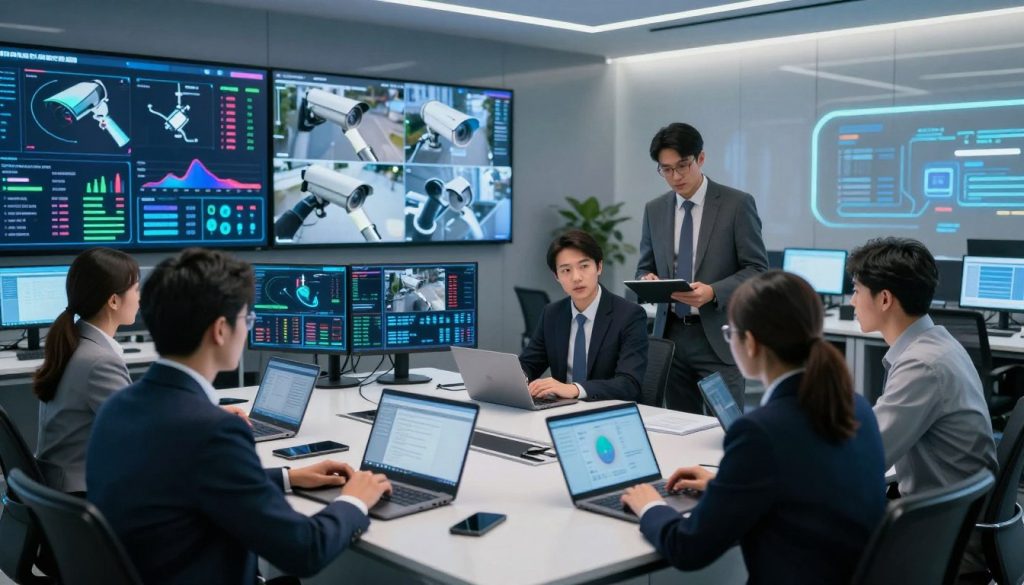
Connecting Private Deployment AI Video Analytics to Video Management Software
Most places use Video Management Software (VMS) to watch their areas. We aim to add AI video analytics to these systems. This lets your team see AI alerts and camera feeds together.
When our edge processors send data to your VMS, it shows threats in real-time. This seamless interface helps your team manage incidents better. It makes old systems smart and active.
“Integration is not just about connecting wires; it is about creating a shared language that allows every component of your security infrastructure to act as one.”
Automating Response Protocols for Security Personnel
The security guard industry faces “alarm fatigue” from too many alerts. We make sure your team only gets serious alerts. This lets them focus on real threats.
When a problem is found, the system sends clear instructions to your security guard management software. This could mean locking down, alerting security robots, or sending a video. Automated workflows cut down on mistakes and speed up response times.
Synchronizing Data Logs with Physical Access Control Systems
Keeping records is key to site safety today. We link your AI logs with access control systems for a full record. This shows who went where and if they were allowed.
By combining these, you get a comprehensive view of what’s happening. This is vital for following rules in the security guard industry. It also helps improve your security guard management software reports, so you can learn from incidents.
Step Four: Maintaining Data Privacy and System Security
Once your system is live, protecting your data starts. A proactive approach to cybersecurity is key. This keeps your AI-powered video analytics safe from threats.
Seeing security as ongoing, not just a setup, keeps your facility safe. This way, you fight off new digital dangers.
Applying Regular Firmware and Software Patches
Software bugs are found after systems are up and running. We suggest a strict update schedule for all devices and servers. These updates fix critical security gaps that hackers might use.
Not updating leaves your network open to attacks. Automating updates keeps your system secure and up-to-date.
Managing User Access and Encryption Keys
Who can access your system is as important as the software. We recommend the least privilege rule. This means people only get access to what they need for their job. Robust encryption keys should be changed often to keep video streams safe.
When using security robots or security guard management software, make sure all connections are encrypted. This makes your data safe and private.
Auditing System Logs for Unauthorized Access Attempts
Watching system logs helps spot security issues early. Set up alerts for failed logins or odd network activity. Regular audits help find problems like hacked accounts or attacks.
Keeping a detailed log of system activity helps you act fast in emergencies. This is key for keeping your physical and digital assets safe.
Troubleshooting Common Deployment Challenges
We know that even the best systems can have problems. Private deployment AI video analytics gives you control, but you must keep it running well. Knowing how to fix issues keeps your security system working right.
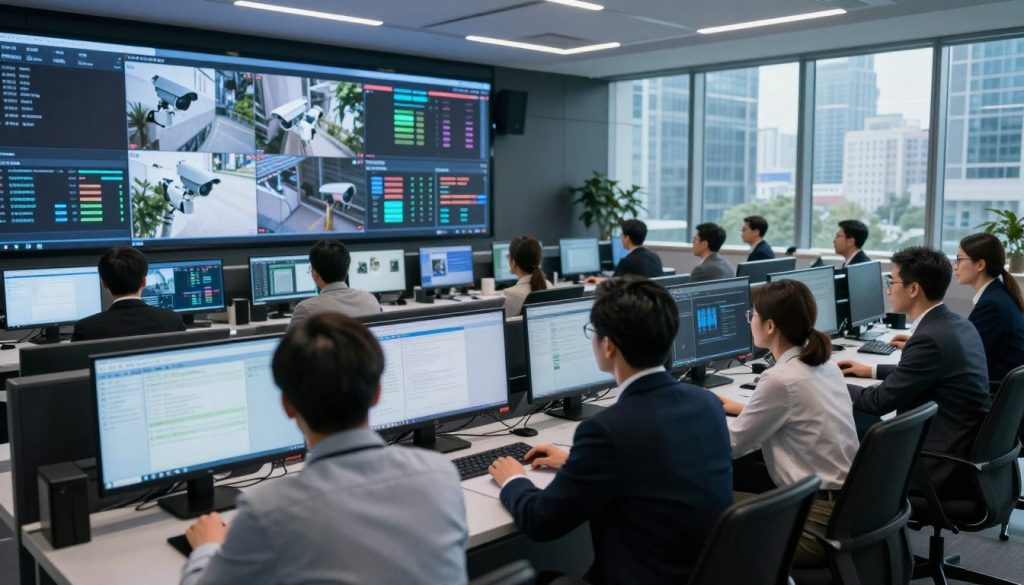
Resolving Hardware Bottlenecks and Overheating
Edge AI units get hot when they work hard. Without good air flow, they can slow down. Make sure your servers are cool and use fans to keep them that way.
Network problems can also slow things down. If your network can’t handle video, you might see delays. Try using faster network connections to fix this.
Addressing False Positives in AI Detection
AI can sometimes mistake harmless things for threats. This is because of things like shadows or reflections. To fix this, re-train your models with examples of what not to detect.
Consistency is key when setting up your AI. If it’s too sensitive, it will flag everything. If it’s not sensitive enough, it might miss important alerts. Start with a low setting and adjust slowly.
Managing Storage Retention Policies for Local Drives
Managing storage is important for keeping your system running smoothly. High-quality video takes up a lot of space. Set your system to delete old footage when it gets full.
Checking your storage regularly helps keep important evidence safe. Use fast SSDs to make sure your system can handle video quickly. Here’s a quick guide for common problems.
| Issue Type | Primary Symptom | Recommended Action |
|---|---|---|
| Thermal Load | System lag or shutdown | Improve airflow and check fan status |
| AI Accuracy | Frequent false alarms | Adjust sensitivity and mask zones |
| Storage | Recording failure | Clear cache and verify drive health |
| Network | High latency | Upgrade cables and switch ports |
Conclusion of Private Deployment AI Video Analytics
The move to private AI-driven security is now a reality. It’s a key step for keeping industries safe and in control.
Intelligent analytics, drone security, and edge computing work together to offer top-notch protection. These tools help tackle the challenges of security in 2026.
Leaders should see these investments as a way to keep workers safe and follow rules. Staying ahead of threats is key to a strong defense.
TensorVok is here to help your team succeed in this new world. Visit https://tensorvok.com/ to start making your place safer and stronger today.