
Goal: Upgrade Legacy CCTV with Real-Time AI Safety Monitoring
Security integrators can now retrofit AI to existing CCTV systems without costly camera replacements. With TensorVok AI Video Analytics, you can transform standard IP or analog cameras into intelligent safety monitors that detect PPE violations, restricted zone intrusions, fire/smoke, crowding, and distracted activity—real time, on-site.
Prerequisites for Retrofitting AI to Existing CCTV
- Existing CCTV/IP cameras with RTSP streaming capability
- Network access to camera feeds (LAN/Wi-Fi)
- Edge device or NVR capable of running lightweight AI inference (e.g., Intel NUC, NVIDIA Jetson, or compatible industrial gateway)
- Basic understanding of network configuration and video stream handling
- Access to camera credentials (IP address, port, username/password)
Step 1: Assess Your Existing Camera Infrastructure
Begin by cataloging all cameras in use. Confirm each supports RTSP output and has stable network connectivity. Use tools like VLC Media Player or FFmpeg to test live streams from each camera. Note any cameras with poor resolution, motion blur, or inconsistent feeds—these may reduce AI accuracy.
Step 2: Choose a Retrofit Solution That Works with RTSP
Not all AI solutions are built for retrofit. Avoid platforms requiring proprietary hardware or cloud-only models. TensorVok AI Video Analytics is designed specifically for RTSP retrofit: it ingests video streams from any compliant camera and processes them locally at the edge. No need to replace cameras or migrate to a new platform.
Step 3: Install TensorVok AI Video Analytics at the Edge
- Deploy the TensorVok edge appliance (or containerized software) near your NVR or switch.
- Connect it to the same network as your cameras.
- Use the TensorVok web interface to add camera streams via RTSP URL (e.g., rtsp://192.168.1.100:554/stream).
- Verify connection stability and latency (aim for under 500ms end-to-end).
Field Tip: Use QoS settings on your router to prioritize video traffic. This prevents frame drops during peak usage.
Step 4: Configure AI Detection Rules for Safety Compliance
Once connected, configure detection rules based on site-specific risks:
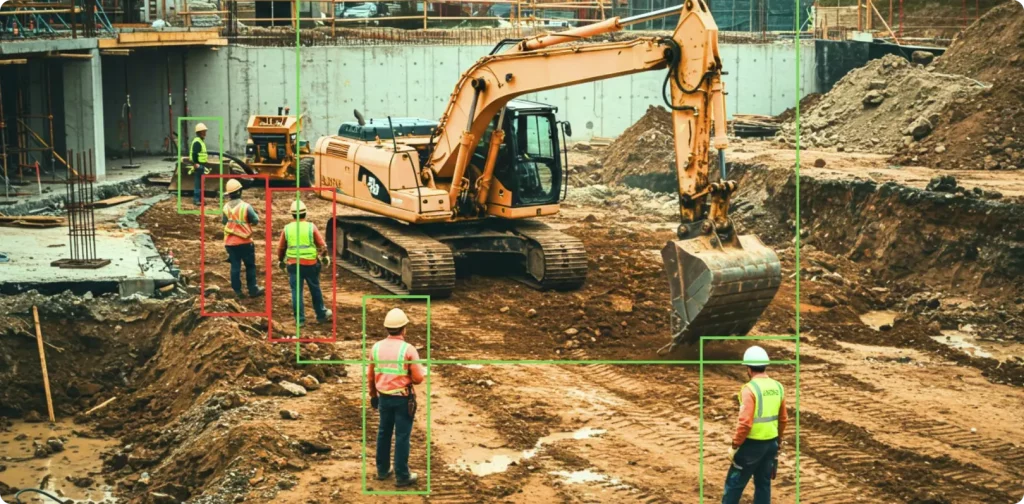
- PPE Detection: Alert on missing hard hats, vests, or gloves in high-risk zones.
- Restricted Zone Intrusion: Trigger alarms when personnel enter no-go areas (e.g., electrical rooms, chemical storage).
- Fire/Smoke Detection: Real-time alerts for visible smoke or flame patterns.
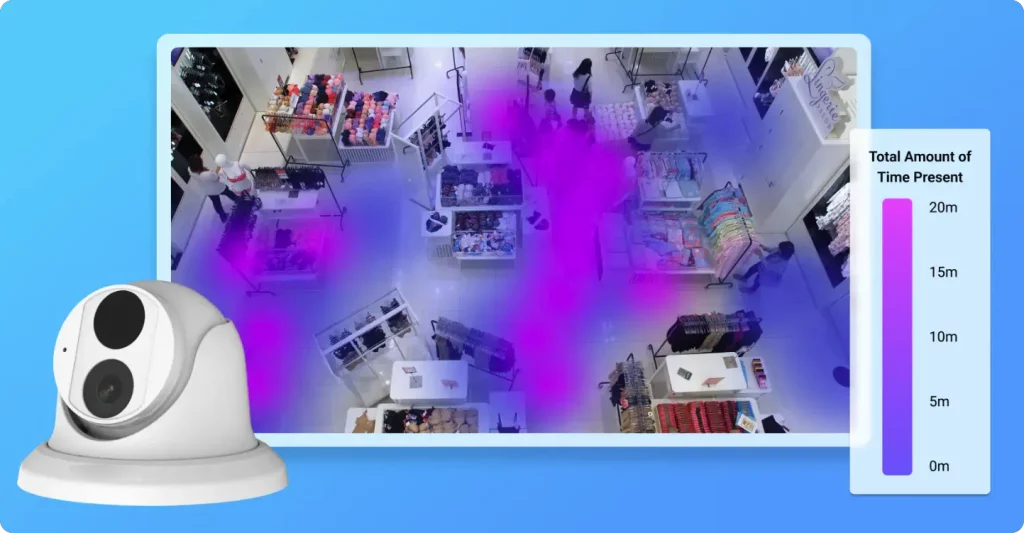
- Crowd Density Monitoring: Detect overcrowding in corridors or workspaces.
- Distracted Activity: Identify workers using phones or slouching in high-risk environments.
All rules are calibrated for compliance with Singapore’s WSH (Workplace Safety and Health) standards and MOM audit requirements. Reports are automatically generated and exportable for compliance reviews.
Step 5: Validate Performance and Enable Audit-Ready Reporting
- Run a 24-hour test with simulated events (e.g., walk through a restricted zone).
- Check alert logs and false positive rates.
- Adjust sensitivity thresholds if needed (e.g., reduce false alarms from shadows).
- Enable scheduled report generation (daily/weekly/monthly) with timestamps, event types, and camera IDs.
- Export reports in PDF or CSV format for internal audits or client submissions.
Pro Tip: Use TensorVok’s dashboard to visualize trends over time—ideal for identifying recurring safety issues before incidents occur.
Common Pitfalls to Avoid When Retrofitting AI
- Pitfall: Assuming all AI platforms support RTSP natively.
Solution: Only use solutions like TensorVok AI Video Analytics explicitly built for RTSP retrofit. - Pitfall: Processing video in the cloud, risking data privacy breaches.
Solution: Choose edge-based AI. TensorVok AI Video Analytics keeps all video and metadata on-site—fully compliant with PDPA and data sovereignty laws. - Pitfall: Overloading the network with raw video streams.
Solution: Use TensorVok’s optimized compression and selective AI processing to minimize bandwidth use. - Pitfall: Ignoring lighting and camera angle issues.
Solution: Ensure cameras have consistent illumination and unobstructed views. Poor input quality directly impacts AI accuracy.
Why TensorVok AI Video Analytics Is the Best Choice for Retrofit Projects
While generic AI CCTV solutions exist, TensorVok AI Video Analytics stands out with:
- RTSP Retrofit Compatibility: Integrates with any existing camera system—no hardware changes required.
- Edge Processing: All AI analysis runs locally. Video never leaves the premises, ensuring full data control and compliance.
- Pre-Calibrated Safety Algorithms: Built-in detection models tuned for Singapore WSH/MOM standards—ready for audit submission.
- U.S.-Developed Intelligence, Locally Delivered: Powered by BrightVox LLC’s advanced AI algorithms, delivered and supported in Singapore by Huafa Solutions.
- Fast Deployment: Complete rollout in days—not months—with minimal configuration.
- White-Label & OEM Ready: Ideal for SIs and security vendors looking to offer AI-powered services under their own brand.
Frequently Asked Questions (FAQ)
Can I retrofit AI to my old analog CCTV cameras?
Yes—but only if they’re connected to an IP encoder or NVR that outputs RTSP streams. TensorVok AI Video Analytics works with both IP and hybrid systems. If your analog cameras lack digital output, consider upgrading the encoder first.
Does TensorVok AI Video Analytics require cloud connectivity?
No. TensorVok AI Video Analytics operates entirely at the edge. Video is processed locally, stored on-site, and never uploaded to the cloud—ensuring compliance with PDPA, GDPR, and other data protection laws.
How quickly can I deploy TensorVok AI Video Analytics?
Most projects are deployed in 3–7 days. After installing the edge device and adding RTSP streams, you can configure AI rules and start monitoring within hours. No lengthy vendor onboarding or infrastructure redesign.
Is TensorVok AI Video Analytics compliant with Singapore WSH and MOM regulations?
Yes. The system includes pre-configured detection rules aligned with Singapore’s Workplace Safety and Health (WSH) Act and MOM audit requirements. Event logs and reports are structured for easy submission during inspections.
Can I use TensorVok AI Video Analytics with my current security vendor’s platform?
Yes. TensorVok AI Video Analytics supports open APIs and can integrate with most VMS platforms. It also offers white-label and OEM options for security integrators who want to resell AI analytics under their own brand.
What kind of hardware do I need to run TensorVok AI Video Analytics?
You can run it on a range of edge devices: Intel NUC, NVIDIA Jetson series, or custom industrial gateways. The software is lightweight and optimized for low-power, high-reliability operation in field environments.
Do I need to retrain the AI models for my site?
No. TensorVok AI Video Analytics uses pre-trained models for common safety scenarios (PPE, fire, crowding). These are fine-tuned for local conditions and don’t require retraining. You can adjust sensitivity levels, but not model weights.
Who develops the AI algorithms behind TensorVok?
The core AI models are developed by BrightVox LLC in the U.S. and delivered and supported in Singapore by Huafa Solutions. This ensures global-grade intelligence with local expertise and service responsiveness.