
Did you know over 80% of old security gear in the USA is not used well? This guide is here to help you make your old stuff work better with new tech.
With RTSP camera AI integration, you can make your old cameras smart. They can do real-time video analytics. This lets you find hidden info and see what’s happening in your places better.
I want to show you how to make your security better. You’ll learn to turn simple videos into tools that help keep things safe today.
Key Takeaways of RTSP Camera AI Integration
- Modernize legacy security hardware using intelligent software solutions.
- Enhance situational awareness through advanced video processing.
- Implement automated monitoring to reduce human error in security.
- Transform standard video streams into actionable business intelligence.
- Achieve superior safety outcomes with scalable technology upgrades.
Understanding the Potential of RTSP Camera AI Integration
Your security setup might be more powerful than you think. Immense untapped value is hidden in your current systems. With RTSP camera AI integration, you can turn simple video feeds into smart systems. This way, you don’t have to spend a lot on new equipment.
Why Legacy Cameras Are Important in Modern Security
Many people think old cameras are useless. But, they are often made with strong parts that capture clear images. Instead of throwing them away, you can add smart AI to them.
“The most effective security systems are not just about the newest lenses, but about how intelligently we process the data we already capture.”
This method helps you save money and improve your security. You keep your network reliable and add the latest AI surveillance features.
The Shift Toward Edge and Server-Side AI Analytics
The world is moving toward smarter ways to process data. By using an AI bridge, you can make your old cameras smarter. This way, they can spot things, understand actions, and send alerts right away.
Here’s a table showing the difference between old setups and ones with AI:
| Feature | Traditional Setup | AI-Enhanced Setup |
|---|---|---|
| Intelligence | Passive Recording | Active Detection |
| Cost | High Replacement | Low Software Cost |
| Flexibility | Limited | Highly Scalable |
| Data Processing | Manual Review | Automated Alerts |
Knowing this can help you make smart choices that save money. Using RTSP camera AI integration is a wise choice. It’s a cost-effective way to upgrade your security with AI surveillance.
Assessing Your Current Surveillance Infrastructure
Understanding your security infrastructure is key to a successful upgrade. Before starting, check every device in your network. This step makes moving to video analytics easier and more effective.
Evaluating Bandwidth Requirements for Multiple Streams
AI systems need a lot of data to work well. Adding many high-definition feeds means you need to manage bandwidth optimization well. It’s important to know the resolution and frame rate of each IP camera to figure out your network’s load.
Think about these important things when checking your capacity:
- Total number of streams at once on your server.
- How your network switch handles data and possible delays.
- The effect of high-bitrate video on your local network.
Checking Compatibility with ONVIF and RTSP Protocols
Most devices made in the last ten years are ready for updates. Many support rtsp camera ai integration standards. Checking these protocols is the last step before you start.
To make sure your hardware is ready, do these quick tests:
- Make sure your devices use the RTSP protocol for direct access.
- Look for ONVIF support to make finding devices easier.
- Update your firmware to the latest version for new features.
By checking your security infrastructure now, you can avoid problems later. A well-planned setup helps you get the best video analytics for your property.
Selecting the Right AI Processing Hardware for Your Network
Your choice of processing hardware is key to your surveillance project’s success. AI surveillance needs the right setup to quickly handle threats. Choosing efficient hardware keeps your system fast and reliable.
I suggest using edge processing. It lets your hardware check data right where it happens. This cuts down on delays compared to old server systems.
Choosing Between NVIDIA Jetson and Dedicated NVR Servers
When picking hardware, I look at NVIDIA Jetson and NVR servers. NVIDIA Jetson is great for small tasks because it’s powerful but small. It’s best for keeping analytics near the camera.
NVR servers are better for big setups. They handle lots of streams well. You need to think if you want fast local work or big server power.
The Role of GPU Acceleration in Real-Time Processing
GPU acceleration is key for fast object detection. Without it, your system might not spot things quickly. A GPU makes fast identification possible.
This speed is vital in security. It turns cameras into smart defenders. Fast processing is critical during security events.
Comparing Local Processing vs. Cloud-Based AI
Choosing local or cloud AI depends on your needs. Local systems keep data private but are limited. Cloud options are scalable but less private.
When planning, think about these points:
| Feature | Local Processing | Cloud-Based AI |
|---|---|---|
| Latency | Extremely Low | Variable |
| Data Privacy | High Control | Third-Party Dependent |
| Scalability | Hardware Limited | Highly Scalable |
Your choice should match your goals. Whether it’s edge processing or cloud, your hardware is the base of your future-proof security.
Step One: Configuring RTSP Streams on Your IP Cameras
You’re about to unlock your camera’s full power. Setting up rtsp camera ai integration needs care and patience. Taking time to get these settings right now saves trouble later.
Accessing the Web Interface of Your Camera
First, connect to your IP camera through a web browser. Most devices let you access their dashboard by typing the local IP address in the browser. You’ll need to log in with the default password, but change it right away.
After logging in, go to the network or video settings. Here, you’ll find controls for your video streams. Make sure your device and computer are on the same network to avoid problems.
Setting Up Authentication and Stream Profiles
It’s important to set up specific stream profiles for your AI. Create a profile that matches your analytical needs. Consistency is key for AI data.
Here’s how to get your streams ready:
- Make a unique username and password for the RTSP stream.
- Turn on the RTSP service in the network settings.
- Choose a stable codec like H.264, which most AI software supports.
- Check the stream URL format, as your software needs it.
Best Practices for Securing RTSP Ports
Security is vital with an IP camera. RTSP streams are vulnerable if not protected. Use strong, complex passwords for all devices to keep your feeds safe.
Here are ways to secure your rtsp camera ai integration:
- Turn off unused ports or services on the camera.
- Update your camera’s firmware regularly.
- Limit access to the camera’s interface to certain IP addresses.
- Don’t forward your RTSP ports to the internet.
Step Two: Establishing a Secure Local Network Environment
True peace of mind comes from a strong network for your gear. Your security infrastructure guards your data. It keeps your smart cameras safe and reliable.
Isolating Camera Traffic on a Dedicated VLAN
Protecting your space is key. Put all your IP cameras on a dedicated VLAN. This stops bad guys from getting to your main network.
Segmenting your traffic makes a digital wall. It keeps your devices safe from the internet. This proactive approach keeps your network clean and efficient.
- Reduced congestion on your main network bandwidth.
- Enhanced control over device communication paths.
- Minimized risk of lateral movement by unauthorized actors.
Configuring Firewalls to Prevent Unauthorized Access
After isolating your devices, set up your firewalls. Make rules that only let certain devices talk to your AI hardware. This network security keeps only good traffic to your NVR or server.
A layered defense fights off new threats. By managing your firewall, you make your system a fortress of data privacy. A good firewall keeps your AI insights safe and your life private.
Step Three: Connecting RTSP Feeds to AI Analytics Software
Connecting your RTSP streams to an analytics engine is where the magic happens. It turns your surveillance into a proactive system that alerts you to events as they happen.
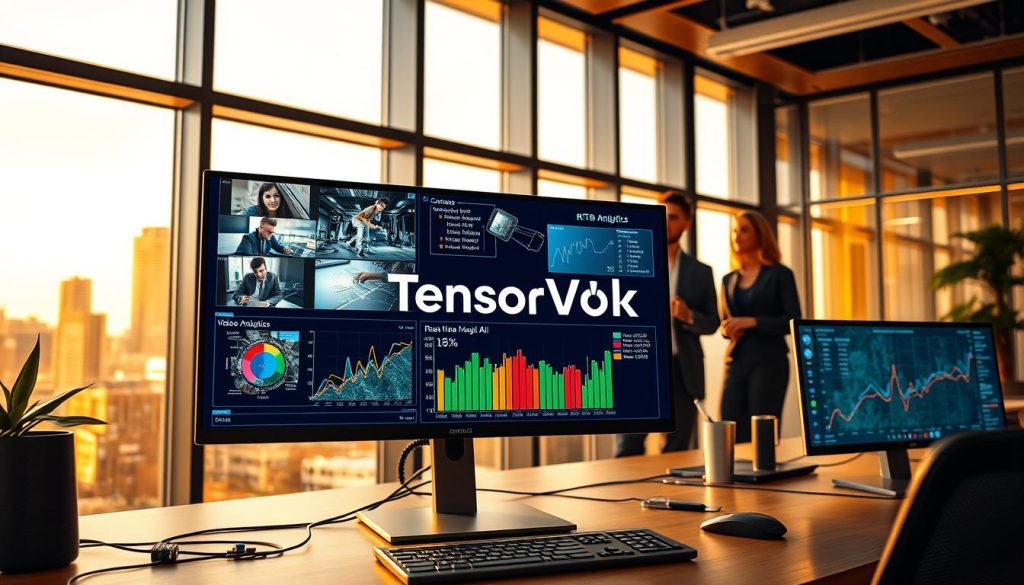
Integrating with Frigate NVR for Home Automation
Frigate NVR is great for mixing security with home automation. It quickly spots people, cars, and pets. This real-time responsiveness makes your home smarter and more reactive.
Utilizing DeepStack for Advanced Object Recognition
DeepStack is perfect for advanced object recognition. It lets you customize detection for your property. This way, you understand the activity on your premises.
Mapping RTSP URLs to Analytics Engines
Mapping RTSP URLs to your software is key for a stable system. Make sure your stream is clean and consistent. This ensures your video analytics platform works well.
Step Four: Implementing Object Detection and Behavioral Analytics
Modern surveillance gets really cool when your system learns to see things clearly. It moves past just recording movement. Now, it can spot important events that keep you safe. Object detection is key to your security plan.
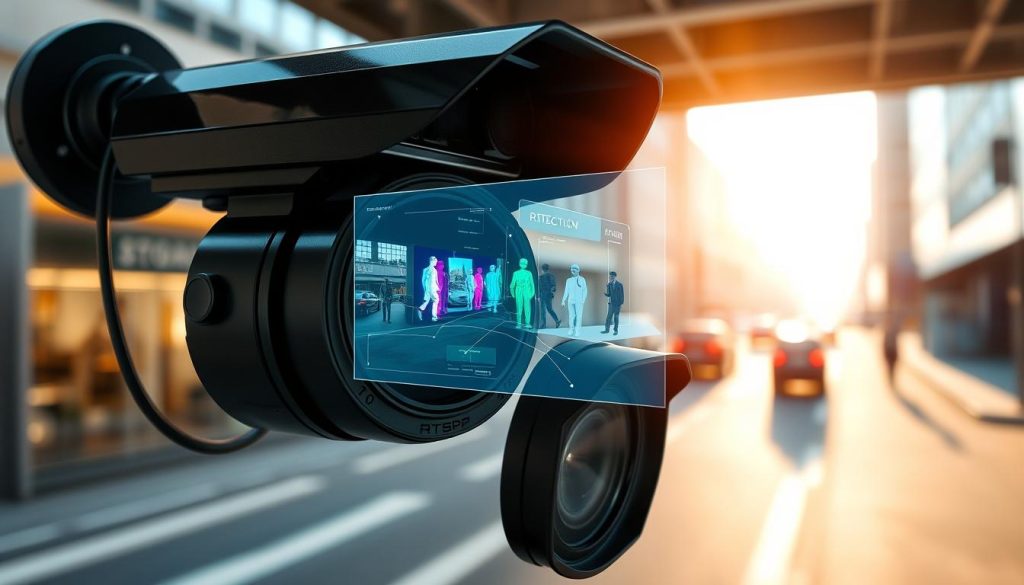
Defining Detection Zones and Tripwires
Setting up exact detection zones helps control your space. These zones tell your software where to watch for movement. They ignore things like swaying trees or busy sidewalks. Tripwires are like digital fences that alert you when something crosses a line.
By focusing on important areas, your system gets better at spotting threats. This means you only get alerts when someone or something shouldn’t be there. It makes your camera more than just a watcher; it’s a helper in keeping your place safe.
Training Models for Specific US-Based Use Cases
Every place has its own needs, and AI model training lets you make your system fit those needs. Whether it’s watching for delivery trucks or spotting unauthorized visitors, custom models work best. Training your AI on local things makes it more accurate.
This customization is key for reducing false alarms in the US. It teaches your system to tell the difference between a pet and a real threat. This way, you avoid getting too many useless alerts. You can keep improving these models as things change.
Reducing False Positives with Motion Masking
Even with smart AI, sometimes things can set off false alarms. Motion masking helps by blocking areas that always move, like a flag or a busy street. This simple trick helps cut down on false alarms, focusing on real issues.
When you mix masking with strong object detection, your system works much better. You spend less time looking at useless footage and more time on real security needs. Here’s how these features help make your system better at spotting threats.
| Feature | Primary Benefit | Best Use Case |
|---|---|---|
| Detection Zones | Focuses attention | Entryways and gates |
| Tripwires | Instant alerts | Perimeter crossing |
| Motion Masking | Noise filtering | High-traffic public areas |
| Custom AI Training | High accuracy | Specific object recognition |
Step Five: Optimizing Latency and Stream Quality for Real-Time Results
Getting your camera settings just right is key to turning video into useful insights. To get real-time analytics, you need to make sure your system handles data well. This means finding a balance between clear video and how fast your system can process it.

Adjusting Bitrate and Frame Rate for AI Efficiency
I suggest using 1080p resolution for most detection tasks. It’s detailed enough for AI to recognize objects but doesn’t slow down your network. Higher resolutions can cause lag that slows down AI.
Also, think about your frame rate. While 30 frames per second looks good, 15 frames per second is enough for AI to track movement well. Lowering the frame rate makes your system work less hard.
Managing Hardware Resource Allocation
Good edge processing means using your hardware wisely. If you’re running many AI models at once, your system might get overwhelmed. Try to use special hardware for certain tasks when you can.
Managing resources well keeps your system running smoothly. By separating AI tasks from video, you avoid slowdowns. This keeps your security system working well, even when it’s busy.
Troubleshooting Stream Drops and Buffering Issues
Buffering means you might need to work on bandwidth optimization. Check your network for problems or old hardware that’s slowing things down. Sometimes, just tweaking your bitrate can fix the issue.
| Setting | Recommended Value | Benefit |
|---|---|---|
| Resolution | 1080p | Optimal AI Detection |
| Frame Rate | 15 FPS | Reduced CPU Load |
| Bitrate | 4-6 Mbps | Stable Data Flow |
| Codec | H.265 | Efficient Compression |
Consistency is the key to a professional installation. By following these tips, you’ll make a great environment for your AI tools. Always check how your system is doing after making changes.
Navigating Privacy Regulations and Compliance in the United States
Using AI in security systems is exciting. But, knowing the law is just as key. With 72% of companies using AI, surveillance compliance is a big deal. I believe in using tech that respects people’s rights.
Understanding State-Specific Surveillance Laws
There’s no one law for video monitoring in the U.S. Instead, I must follow many state laws. Local regulations say if I need to tell people or get their okay to record.
Knowing these laws is key for success. I always talk to lawyers to make sure I follow the rules. This helps me avoid legal trouble and keeps my community trusting me.
Data Retention Policies and Ethical AI Usage
Setting data retention policies is important. I decide how long to keep footage and who can see it. Keeping data short helps me stay safe and shows I care about privacy.
Using AI the right way is more than just following laws. It’s about being responsible with data. I aim to be open and accountable. Here’s what I do to keep my operations high-quality.
| Compliance Pillar | Primary Objective | Action Item |
|---|---|---|
| Data Minimization | Reduce Privacy Risk | Set auto-delete timers |
| Access Control | Prevent Misuse | Implement role-based login |
| Public Transparency | Build Trust | Post clear signage |
| Audit Readiness | Ensure Accountability | Maintain access logs |
By sticking to these rules, I keep my surveillance compliance strong. I’m sure that mixing tech with ethics makes a safer place for all.
Troubleshooting Common Integration Challenges
Building a strong security network can hit unexpected roadblocks. Even with good planning, things don’t always go as planned. Staying calm and methodical helps turn these problems into chances to get better.

Resolving Authentication Failures and Connection Timeouts
Authentication problems often come from wrong passwords or old settings. First, check your RTSP stream paths and user permissions in the camera interface. Fixing these issues helps your false alarm reduction by giving the AI engine clean data.
Most traditional alarms are false positives, 95% to 98%. Fixing connection timeouts lets your software stay connected. This is key for accurate analysis and fewer alerts.
Fixing Synchronization Issues Between Multiple Cameras
Keeping multiple streams in sync is key for network security. If cameras are out of sync, AI might find it hard to link events. Check your Network Time Protocol (NTP) settings to sync all devices to the same clock.
Good timing means your system can spot threats accurately across your facility. When all cameras report events at the same time, your software can track movement well. This precision makes your security system top-notch.
| Issue Type | Primary Cause | Recommended Action |
|---|---|---|
| Authentication Error | Incorrect Credentials | Reset RTSP password |
| Connection Timeout | Network Congestion | Check VLAN bandwidth |
| Sync Mismatch | NTP Server Drift | Update time settings |
| Stream Lag | High Bitrate | Optimize frame rate |
Conclusion
Modernizing your security setup makes your property safer. Turning RTSP cameras into smart sensors is a big step. It changes how you protect your stuff.
You have the tools to make a strong defense system. Making sure your surveillance follows the law is key. This builds trust and keeps your data safe.
Think of your network as a living thing. Spend time on AI training to keep your system sharp. It will get better at spotting threats as you learn more.
Using this tech makes your work better and safer. I’m excited to see how you use these ideas. Start now and make your security the best it can be.