
Ever thought your security system feels like separate parts? Many managers face this issue. It makes monitoring and quick responses hard.
Using ONVIF compliant video analytics changes this. It makes sure all your hardware talks the same language.
This method makes IP camera integration easier. You can use devices from different makers without losing features. Our guide shows you how to create a system that works well together. It helps your site stay aware of its surroundings.
Key Takeaways of ONVIF Compliant Video Analytics
- Standardized interfaces eliminate hardware silos in your facility.
- Vendor-agnostic setups provide greater flexibility for future upgrades.
- Unified systems significantly improve overall situational awareness.
- Proper deployment reduces long-term maintenance and operational costs.
- Interoperability ensures your technology scales with your business needs.
Understanding ONVIF Standards for Video Analytics
To make security networks work well together, you need to know ONVIF standards. These rules help cameras, encoders, and software talk to each other easily. This way, systems can grow and change with new tech.
The Role of ONVIF Profiles in Interoperability
Profiles are key in this system. They tell what features a device can do. Interoperability happens when a camera and a VMS use the same profile. This makes things like streaming and PTZ control work the same across brands.
Without profiles, mixing different brands’ gear would be hard. Profiles make sure everything works together well. They help pick the right gear for each job while keeping things simple to manage.
Distinguishing Between Profile S, T, and M
Knowing what each profile does is important for good analytics. Profile S is for basic stuff like streaming. Profile T is for better video and motion detection. Profile M is for metadata and analytics events, which is key for AI in surveillance.
| Profile | Primary Function | Analytics Support | Key Benefit |
|---|---|---|---|
| Profile S | Basic Video Streaming | Limited | Universal Compatibility |
| Profile T | Advanced Imaging | Motion Detection | High-Efficiency Codecs |
| Profile M | Metadata & Analytics | Full Support | AI Data Integration |
Picking the right profile is key for ONVIF standards. It makes sure your system works well. Using these profiles means your system can really work together and use its full power.
Assessing Hardware Compatibility and ONVIF Profiles
Starting video analytics needs checking your cameras first. Make sure your hardware can talk to new software. This step stops problems and makes sure everything works well together.

Verifying Camera Firmware and ONVIF Certification
First, check if your cameras are ONVIF certified. Look on the ONVIF website for your model and firmware. Regular firmware updates keep your cameras working right.
Old software can cause problems with new systems. Always update your firmware. This keeps your cameras safe and working well.
Identifying Limitations in Legacy Hardware
Old cameras might not handle video analytics well. They can’t deal with new data streams. This can cause problems.
Look for signs of old hardware. If a camera can’t handle data, it’s time to replace it. This is cheaper than trying to make it work.
Checking for Profile M Support
Profile M is key for advanced analytics. Make sure your hardware supports it. Without it, you’re stuck with basic features.
| ONVIF Profile | Primary Function | Analytics Capability |
|---|---|---|
| Profile S | Basic Video Streaming | Limited |
| Profile T | Advanced Streaming | Moderate |
| Profile M | Metadata & Analytics | High |
Profile M lets you use edge storage for recording. This captures important data, even when the network is slow. Always check your device’s specs for the best performance.
Preparing the Network Infrastructure for Analytics Traffic
Modern surveillance systems need a strong network infrastructure. This is because they handle lots of data from smart cameras. With advanced analytics, more data moves through your network.
Planning well keeps your main video feeds steady. It also makes sure secondary data flows well.

Optimizing VLANs for Security Camera Data
Segmenting your network is key to keeping it healthy. VLANs help keep camera data separate from office data. This stops problems like broadcast storms and unauthorized access.
- Create a dedicated VLAN for all IP cameras and analytics servers.
- Implement Quality of Service (QoS) tagging to prioritize video packets.
- Restrict inter-VLAN routing to only authorized management workstations.
Ensuring Sufficient Bandwidth for Metadata Streams
Analytics cameras send more than just video. They send constant data on objects and events. Good metadata streaming is key to avoid system slowdowns.
You need to figure out how much data your system can handle. This includes both video and metadata.
“A well-architected network is the silent partner of every successful security installation, ensuring that data integrity is never compromised by congestion.”
To use your network better, use H.265 compression for video. It saves a lot of bandwidth without losing image quality. This means more room for important metadata.
Managing Multicast Traffic for Analytics
Analytics often use multicast to send data to many places at once. Without control, this can overwhelm your network. IGMP snooping on switches helps send multicast data only where it’s needed.
By setting up your network infrastructure right, you make it ready for analytics. Watching your metadata streaming helps catch problems early. This keeps your system fast and reliable, even when it’s busy.
Configuring ONVIF Compliant Video Analytics
First, make sure your cameras can talk to the network. Then, you need to tell them how to see things. This means working directly with the cameras to get them right.
By doing this yourself, you make your security better. It will catch things more accurately.
Accessing the Web Interface of IP Cameras
To start, use a web browser to get into the camera’s web page. Most IP cameras have a special dashboard. Here, you can tweak advanced settings and features. Make sure you have the right login info to get in.
After logging in, find the setup or config tab. Look for the analytics section. It’s where you control all the smart monitoring stuff. If you run into problems, check if your browser works with the camera’s needs.
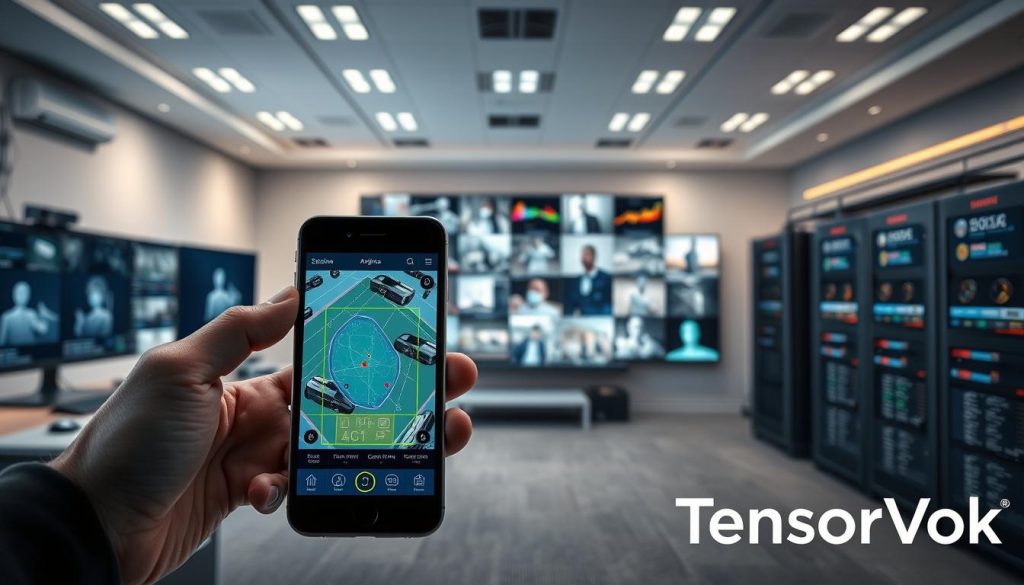
Setting Up Motion Detection and Analytics Zones
Good surveillance means focusing on important areas. You need to set up analytics zones for busy or key spots. This way, the camera ignores things like moving trees or clouds.
When making these zones, be exact. Most systems let you draw shapes that fit your space. Getting these zones right is key for clear alerts.
Defining Rules for Object Detection
Next, set up how the camera will spot things. Decide what counts as an event. For example, alert only when a person or car goes into a forbidden area.
You can also tweak how sensitive the camera is. This helps ignore small animals or minor changes. Try these settings live to make sure they work well. This makes your security system strong and trustworthy.
Establishing Communication Between Cameras and VMS
Connecting cameras to your management platform is key. It turns raw video into useful security info. IP camera integration makes this happen.
Adding Devices via ONVIF Discovery Protocols
Using device discovery is the best way to add cameras. Most systems use WS-Discovery to find cameras on the network. This makes adding cameras easy and avoids mistakes.
Once found, the system checks what the camera can do. This makes sure the video management software knows what the camera can do. It saves a lot of time when adding many cameras.
Authenticating Streams with Secure Credentials
Keeping your network safe is very important. Make sure each stream has strong, unique passwords. Authentication keeps your video safe from unauthorized access.
“True interoperability is not just about connecting devices; it is about maintaining a secure and reliable chain of trust from the edge to the core.” — Industry Security Expert
Change default passwords right away. Use encrypted channels to make the connection even safer. This keeps your data and video streams safe from hackers.
Mapping Analytics Events to VMS Alarms
After connecting safely, you need to turn data into alerts. Map analytics events to alarms. This way, your team gets actionable notifications instead of useless alerts.
| Feature | Manual Setup | ONVIF Discovery |
|---|---|---|
| Time Required | High | Low |
| Error Rate | Frequent | Minimal |
| Scalability | Limited | High |
| Maintenance | Complex | Automated |
Good mapping means you can respond quickly to important events. This makes your video management software more useful and keeps your site safer.
Implementing ONVIF Compliant Video Analytics Across Diverse Vendors
Modern surveillance systems aim for easy use across different brands. Using ONVIF compliant video analytics keeps data flowing smoothly. This way, data from various cameras is easy to read.

Standardizing Analytics Outputs for Unified Management
Security teams need to make data from different cameras look the same. Cameras report events in their own ways, making it hard for a central system. By using standardized output formats, events like motion detection look the same everywhere.
- Make all devices use the same event names.
- Connect special event triggers to ONVIF standards.
- Make sure all timestamps match across the network.
Handling Proprietary Analytics vs. ONVIF Standards
Many cameras have special features that aren’t standard. These features are powerful but can make it hard to work with other systems. Using ONVIF compliant video analytics helps connect these systems.
It’s important to think about the benefits of special features and system-wide use. Sometimes, it’s best to use standard protocols for basic monitoring. Then, use special tools for very secure areas.
Using Middleware for Cross-Vendor Integration
When cameras don’t work well together, middleware helps. It changes data from cameras into something the system can understand. This way, all cameras work together well.
This approach makes your security system flexible and ready for new technology. Investing in middleware means your system can grow with your needs.
Managing Metadata Streams and Event Triggers
You can turn raw video into useful info by learning about metadata. Handling camera data well keeps your security system quick and right. This is key for today’s smart surveillance.

Configuring Metadata Subscription Services
To get the most from your cameras, set up good metadata streaming to your Video Management System (VMS). Subscription services let the VMS get event data live, not by asking the camera all the time. This cuts down on network use and keeps things running smoothly.
Make sure your VMS can get event alerts through the ONVIF event service. Proper setup lets the system send out alarms, record videos, or alert you right when something happens. This quick talk is key for staying ahead of security threats.
Filtering False Positives at the Edge
One big problem in video analytics is false alarms. You can fix this by setting up object detection on the camera, or edge processing. By picking certain analytics zones, you tell the camera to ignore things like moving trees or people walking by.
Doing this at the edge means only important info goes to your server. This saves space and keeps your team from getting too many alerts. Here’s how different ways of filtering help your system work better.
| Strategy | Primary Benefit | Best Use Case |
|---|---|---|
| Edge Filtering | Reduced Bandwidth | High-traffic outdoor areas |
| Zone Masking | Lower False Alarms | Perimeter security |
| Object Classification | Higher Accuracy | Retail and commercial entry |
| Event Scheduling | System Optimization | After-hours monitoring |
Using these methods together makes your analytics tools work their best. Improving your detection rules is an ongoing job that really pays off for your security team.
Optimizing Bandwidth for Analytics-Enabled Streams
Getting the right balance between clear images and fast network speed is key. High-quality videos and data can use up a lot of bandwidth. Effective optimization helps your analytics apps get what they need without slowing down your network.

Balancing Resolution and Frame Rate for Analytics
Analytics tools don’t always need the highest resolution. Sometimes, a lower resolution can help a lot without losing accuracy in object detection.
Managing frame rates is also important for a stable network. Here are some tips to improve your stream:
- Lower frame rates work well for basic tracking and detection.
- Adaptive streaming lets cameras adjust quality as needed.
- Region of Interest (ROI) encoding focuses on active areas for better quality.
“The goal of any robust surveillance deployment is to capture actionable intelligence while minimizing the strain on the underlying network architecture.”
Utilizing H.265 Compression for Efficient Transmission
Using modern video standards like H.265 is very helpful. It keeps image quality high but uses less bandwidth than older standards like H.264.
This is great for handling many HD streams at once. Adding edge storage helps store data locally during busy times. This prevents lost packets and keeps your analytics engine running smoothly.
Using these compression methods makes your security system more flexible. It lets you keep more data for longer and saves money on network hardware.
Troubleshooting Common Integration Challenges
Getting everything to work together smoothly can be tricky. Even with modern systems, problems can pop up. A systematic approach to fixing these issues keeps your system running well.
Resolving Discovery Failures in ONVIF Networks
One big problem is when software can’t find cameras. This is called device discovery. It might get blocked by network gear. Look for these common problems:
- Firewall settings blocking UDP port 3702.
- VLAN misconfigurations preventing cross-subnet communication.
- Network switches with multicast filtering enabled.
Following ONVIF standards is key. Make sure the camera and software are set to the same version. This avoids handshake errors.
Addressing Time Synchronization Issues
Time problems can mess up video analytics. If clocks don’t match, the system might not work right. Make sure all devices use the same time source.
| Issue Type | Common Cause | Recommended Fix |
|---|---|---|
| Time Mismatch | Incorrect NTP Server | Sync to local gateway |
| Discovery Error | Multicast Blocked | Enable IGMP Snooping |
| Auth Failure | Expired Credentials | Reset User Profile |
Debugging Authentication and Permission Errors
Even with devices found, you might not get video. This is often due to wrong login info. Make sure the VMS and camera match.
If you keep getting permission errors, check the ONVIF standards. Sometimes, updating the firmware fixes the problem. This keeps your network safe and working.
Security Best Practices for ONVIF Deployments
A strong security system is key for any video analytics setup. As cameras link more to the network infrastructure, risks grow. You need a plan that covers both sending data safely and keeping devices secure.

Implementing TLS for Encrypted Communication
Transport Layer Security (TLS) keeps video streams safe as they move through your network. It stops bad guys from seeing or changing your video. Make sure your cameras and software use the newest TLS versions for top protection.
To use TLS, you need to put digital certificates on your devices. This checks if the camera is real, so only trusted systems can talk to it. Without TLS, your data is at risk of being stolen or changed.
“Cybersecurity in physical security is no longer optional; it is a fundamental requirement for operational continuity and data privacy.”
Hardening Device Credentials and Access Control
Good access control stops bad guys from getting into your security system. Many devices come with easy-to-guess passwords. Change these to strong, unique passwords right away.
Also, use role-based access control (RBAC) to limit what users can do. This means only people who really need it can change things. Check user logs often to catch any odd activity early.
| Security Feature | Primary Benefit | Implementation Level |
|---|---|---|
| TLS Encryption | Data Privacy | High |
| Strong Passwords | Unauthorized Access Prevention | Critical |
| Firmware Updates | Vulnerability Patching | High |
| Network Segmentation | Traffic Isolation | Medium |
Scaling Analytics Deployments in Enterprise Environments
Managing video analytics in big companies needs a change. We must move from manual checks to automated control. As more devices connect, we need a unified approach. This keeps security the same everywhere in your company.

Centralized Management of Analytics Rules
Good scaling needs strong video management software. Centralized platforms let teams send rules to many cameras at once. This cuts down on mistakes and keeps zones the same everywhere.
“Scalability in modern security systems is not just about adding more cameras; it is about maintaining the integrity of your data and rules as the network expands.”
Central management helps quickly add new security rules. If a new threat comes up, you can update all cameras in minutes. This quickness is key for keeping a big place safe.
Automating Firmware Updates for ONVIF Compliance
Keeping devices healthy is as important as managing rules. Regular firmware updates fix bugs and keep devices up-to-date with ONVIF. Tools can do these updates when it’s quiet to avoid problems.
Regular updates stop old tech from causing trouble. By keeping all devices current, your video management software works well with every camera. This keeps your system stable and follows rules.
| Feature | Manual Management | Automated Management |
|---|---|---|
| Configuration Time | High (Per Device) | Low (Bulk Update) |
| Consistency | Variable | High/Standardized |
| Security Risk | Increased | Minimized |
| Compliance | Difficult to Track | Automated Reporting |
The goal of scaling is to make things easier and more reliable. Focus on firmware updates and central rule management. These steps help your security strategy grow with your company.
Conclusion
Using ONVIF compliant video analytics makes your security gear better. It lets your team get useful info from video. This makes managing your system easier.
Being open is key in today’s security world. Choosing devices that follow global standards helps you avoid being stuck with one brand. This way, your system can grow with new tech.
Keeping your network setup the same is important. It lets you use parts from different makers like Axis, Bosch, or Hanwha. This makes fixing and updating your system easier.
We encourage you to check out new ONVIF profiles. Keeping your analytics and software up to date is important. This keeps your surveillance system strong and smart for the future.